本节是[Scrapy系列](http://kba977.github.io/categories/Scrapy%E7%88%AC%E8%99%AB%E7%B3%BB%E5%88%97/)中的一节, 主要是**多页面**, **多Item**和 **图片下载**功能的爬取。
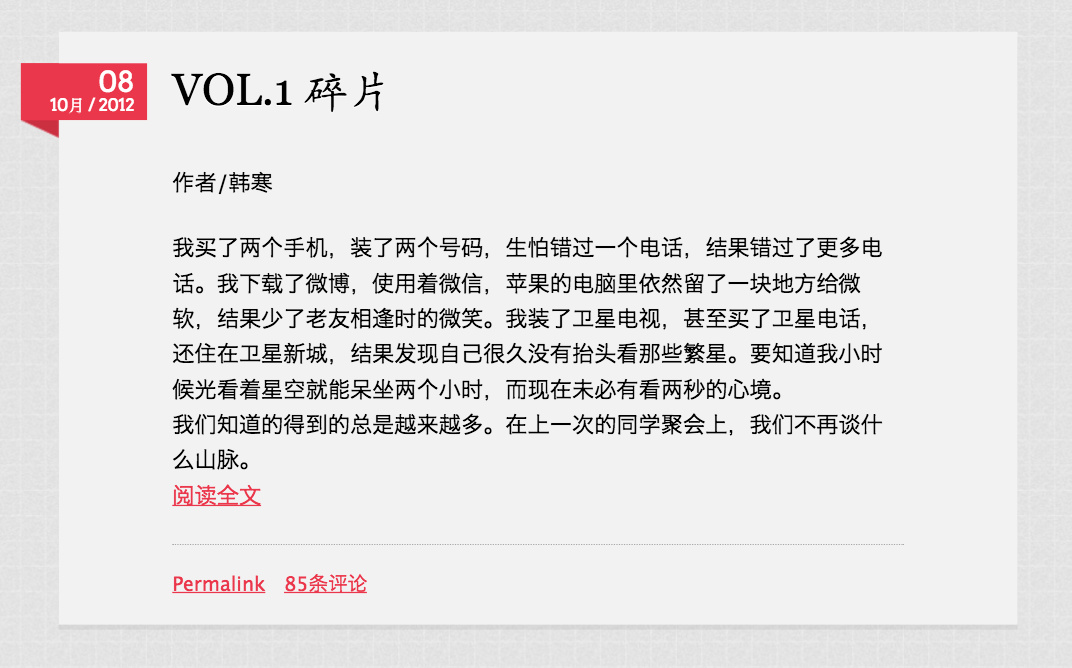
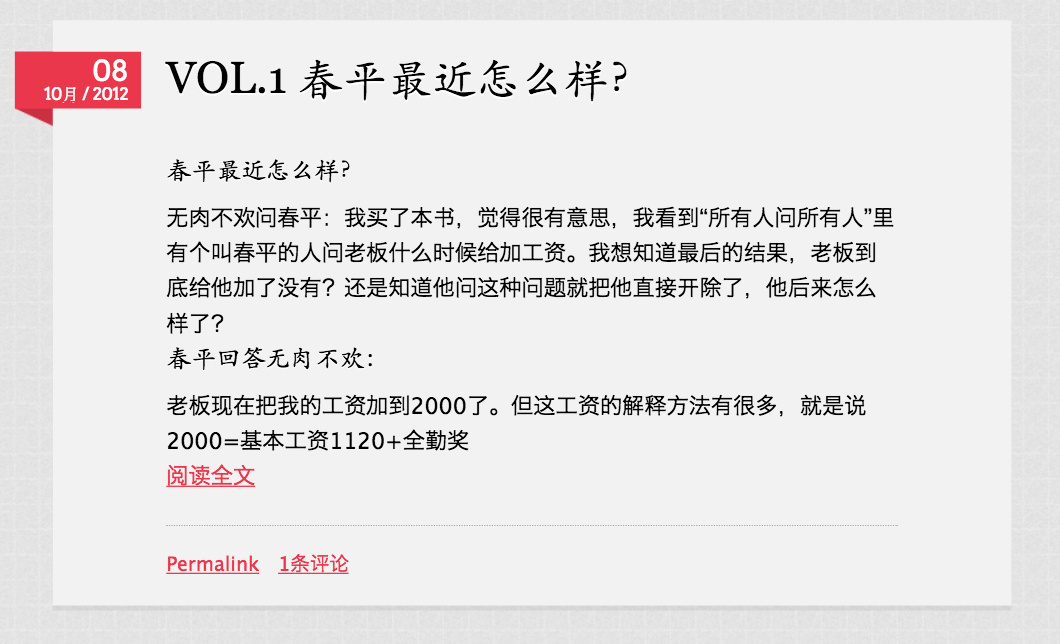
本次我们要爬取的站是我个人非常喜欢的一个站点, 即韩寒的一个 , 每天会更新一张图片, 一句话, 一篇文章和一个问答, 页面十分简洁。如下图所示:
1. 定义爬虫内容 item.py 首先定义我们感兴趣的内容, 按照 photo , article , ask 分别爬取。
1 2 3 4 5 6 7 8 9 10 11 12 13 14 15 16 17 18 19 20 import scrapyclass PhotoItem (scrapy.Item): title = scrapy.Field() image_urls = scrapy.Field() date = scrapy.Field() motto = scrapy.Field() class ArticleItem (scrapy.Item): title = scrapy.Field() content = scrapy.Field() date = scrapy.Field() class AskItem (scrapy.Item): title = scrapy.Field() date = scrapy.Field() question = scrapy.Field() answer = scrapy.Field()
2. Spider的编写 定义好了 Item, 那么接下来就是我们的 Spider了, 整个逻辑非常简单, 首先解析每天的页面(主页面), 再由主页面分别获得 photo , article 和 ask 的链接, 再发起请求来获得分别的详情页面。
1 2 3 4 5 6 7 8 9 10 11 12 13 14 15 16 17 18 19 20 21 22 23 24 25 26 27 28 29 30 31 32 33 34 35 36 37 38 39 40 41 42 43 44 45 46 47 48 49 50 51 52 53 54 55 56 57 58 59 60 61 62 63 64 65 66 import scrapyfrom scrapy.spiders import Spiderfrom scrapy.selector import Selectorfrom OnesSpider.items import PhotoItem, ArticleItem, AskItemclass MySpider (Spider ): name = "ones" allowed_domains = ["caodan.org" ] start_urls = [ "http://caodan.org/page/%d" % i for i in xrange(1 , 1340 ) ] def parse (self, response ): html = Selector(response).xpath("//div[@class='content']/h1[@class='entry-title']/a/@href" ).extract() yield scrapy.Request( url = html[0 ], callback = self .parse_photo ) yield scrapy.Request( url = html[1 ], callback = self .parse_article ) yield scrapy.Request( url = html[2 ], callback = self .parse_ask ) def parse_photo (self, response ): sel = Selector(response) item = PhotoItem() item['title' ] = sel.xpath('//h1/text()' ).extract()[0 ] item['date' ] = sel.xpath('//div[@class="date"]//p' ).xpath("string(.)" ).extract()[0 ] item['image_urls' ] = sel.xpath('//div[@class="entry-content"]//img/@src' ).extract() item['motto' ] = sel.xpath('//blockquote/p/text()' ).extract()[0 ] yield item def parse_article (self, response ): sel = Selector(response) item = ArticleItem() item['title' ] = sel.xpath('//h1/text()' ).extract()[0 ] item['date' ] = sel.xpath('//div[@class="date"]//p' ).xpath("string(.)" ).extract()[0 ] item['content' ] = sel.xpath('//div[@class="entry-content"]' ).xpath("string(.)" ).extract()[0 ] yield item def parse_ask (self, response ): sel = Selector(response) item = AskItem() item['title' ] = sel.xpath('//h1/text()' ).extract()[0 ] item['date' ] = sel.xpath('//div[@class="date"]//p' ).xpath("string(.)" ).extract()[0 ] item['question' ] = sel.xpath('//div[@class="cuestion-contenido"]/text()' ).extract()[0 ] item['answer' ] = sel.xpath('//div[@class="cuestion-contenido"]' )[1 ].xpath("string(.)" ).extract()[0 ] yield item
3. 数据处理 pipeline.py 这里我们主要有三个Pipeline, 其中一个是 Scrapy 自带的下来图片的 Pipeline, 还有两个分别是处理爬取到的item中时间格式的和将输入存入 mongo 数据库的 Pipeline。
1 2 3 4 5 6 7 8 9 10 11 12 13 14 15 16 17 18 19 20 21 22 23 24 25 26 27 28 29 30 31 32 33 34 35 36 37 38 39 40 41 42 43 44 45 46 47 48 49 50 import pymongofrom scrapy.exceptions import DropItemfrom scrapy.conf import settingsfrom OnesSpider.items import PhotoItem, ArticleItem, AskItemfrom scrapy.contrib.pipeline.images import ImagesPipelineclass DateFormatPipeline (object ): def process_item (self, item, spider ): a = item['date' ].replace(u'月' ,'' ) tmp = a[:2 ] + '/' + a[2 :] day = tmp.split('/' )[0 ].strip() month = tmp.split('/' )[1 ].strip() year = tmp.split('/' )[2 ].strip() item['date' ] = year+'/' +month+'/' +day return item class MongoDBPipeline (object ): def __init__ (self ): self .connection = pymongo.MongoClient( settings['MONGODB_SERVER' ], settings['MONGODB_PORT' ] ) self .db = self .connection[settings['MONGODB_DB' ]] def process_item (self, item, spider ): vaild = True for data in item: if not data: vaild = False raise DropItem("Missing {0}!" .format (data)) if vaild: if isinstance (item, PhotoItem): self .collection = self .db['photo' ] self .collection.insert(dict (item)) elif isinstance (item, ArticleItem): self .collection = self .db['article' ] self .collection.insert(dict (item)) elif isinstance (item, AskItem): self .collection = self .db['ask' ] self .collection.insert(dict (item)) else : raise DropItem("Error" ) return item
4. 配置文件 settings.py 最后, 我们需要在 setting 中做以下配置, mongodb的数据库等信息, 图片下载保存地址 和 Pipeline 优先级
添加以下设置到settting.py
1
2
3
4
5
6
7
8
9
10
11
MONGODB_SERVER = "localhost" MONGODB_PORT = 27017 MONGODB_DB = "ones" ITEM_PIPELINES = { 'OnesSpider.pipelines.ImagesPipeline' : 100 , 'OnesSpider.pipelines.DateFormatPipeline' : 200 , 'OnesSpider.pipelines.MongoDBPipeline' : 300 , } IMAGES_STORE = '.'
5. 效果展示 最后在工程目录下执行命令
scrapy crawl ones
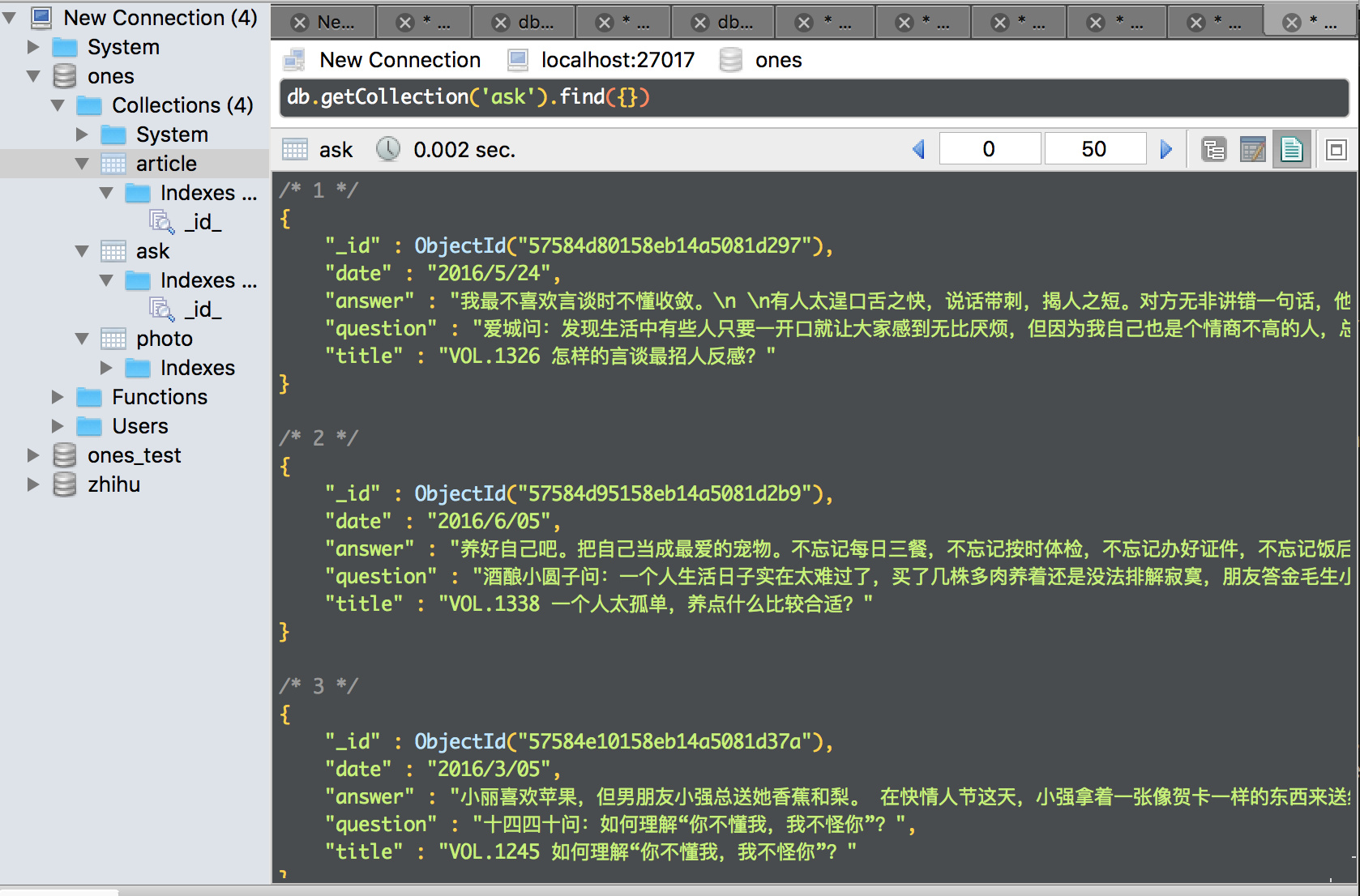
大约等待一个小时左右, 整个站的数据应该都被爬取完成咯。数据量大概是 photo, article, ask各有1350个左右。
如下图:
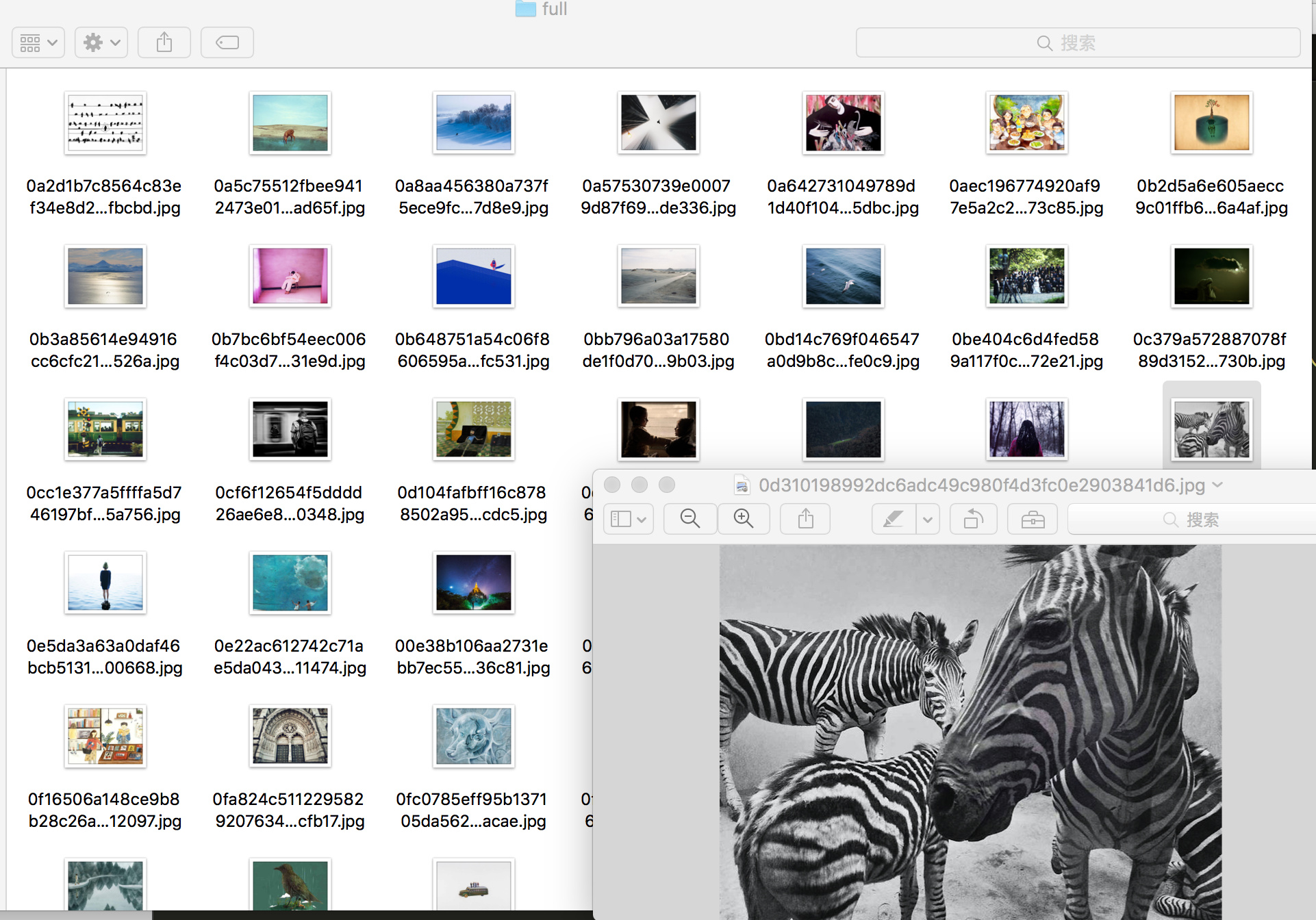
同时下载的图片(妈妈再也不怕我找不到精美图片了)
项目代码, 点我 下载。
以上, 欢迎食用~ , 觉得有收获, 留个言给点鼓励嘛!!! ᕙ(⇀‸↼‵‵)ᕗ